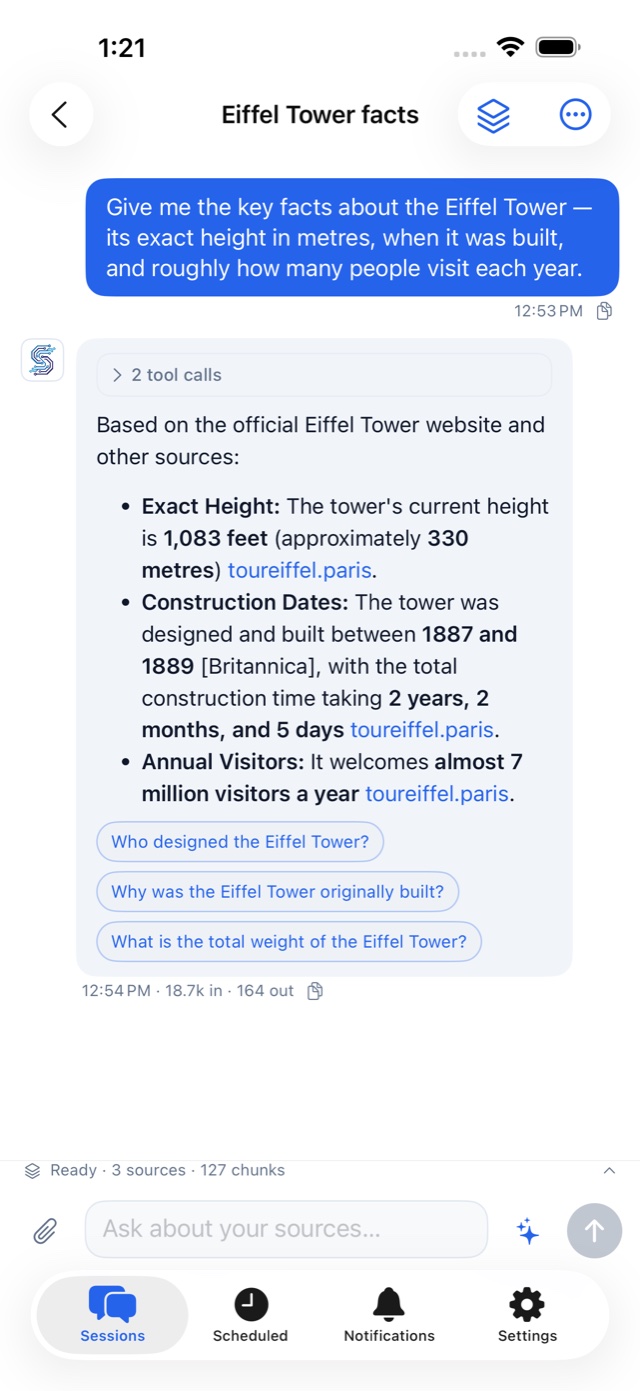
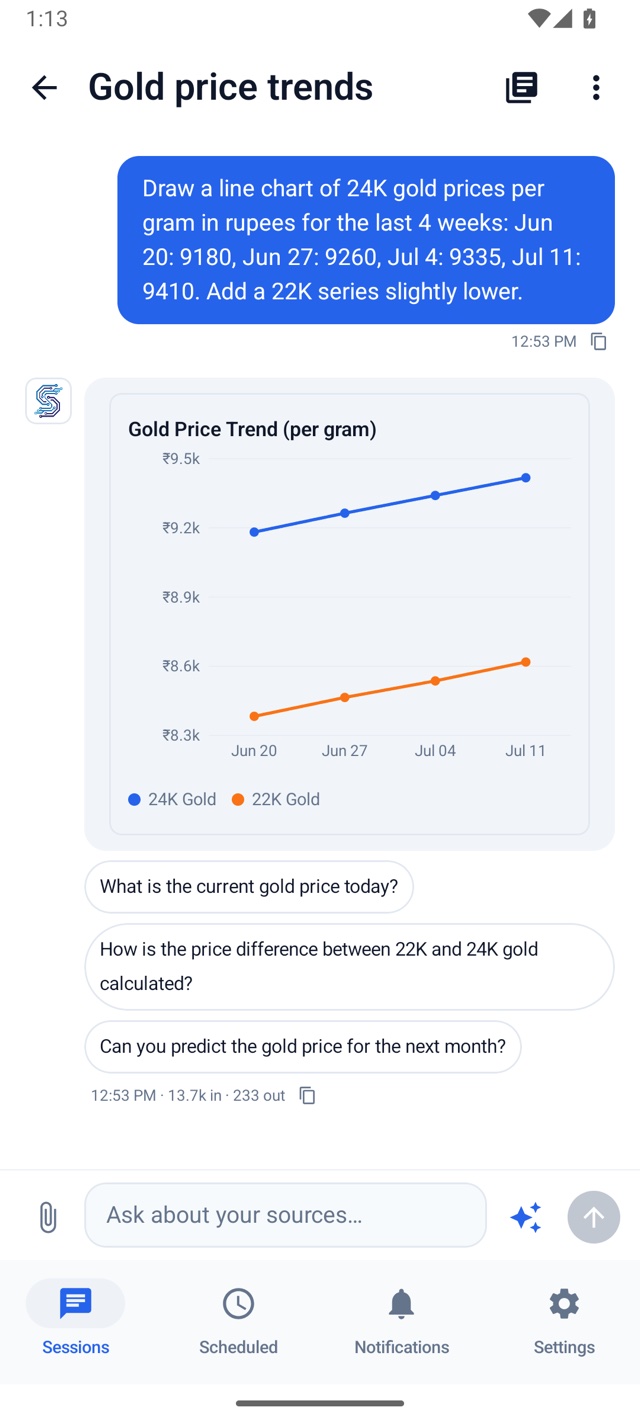
A personal assistant, grounded in real sources.
Thelivi (తెలివి) — Telugu for intelligence.
Ask anything and get answers you can trust — backed by real citations, not guesses. The more you use it, the more it learns your world, remembers what matters, and tailors every answer to you — then tracks topics and sends digests on the schedule you choose.
Your data stays private to your account.
Answers with sources
Ask anything. It searches the live web and answers with real citations you can check — not guesses.
Browses, not just searches
It opens real pages and clicks through like you would. When a site needs a sign-in or a captcha, it hands you the live page to take over — then picks up right where it left off.
Goes deep on demand
Ask it to dig in and it runs a deep, multi-step investigation across many sources, then comes back with a thorough answer — every claim still cited.
Works on a schedule
Set it to track a topic, watch a page for changes, or send you a daily digest — it keeps working on its own.
Memory you control
It remembers lasting facts about your work and preferences across chats. Review what’s saved, add a memory, edit it, or forget it in Settings → Memory. Only you can edit or delete saved memories.
Reads more than text
Feed it a link, a page, or an image — it reads them all and folds them into what it knows for you.
Put it on your own site
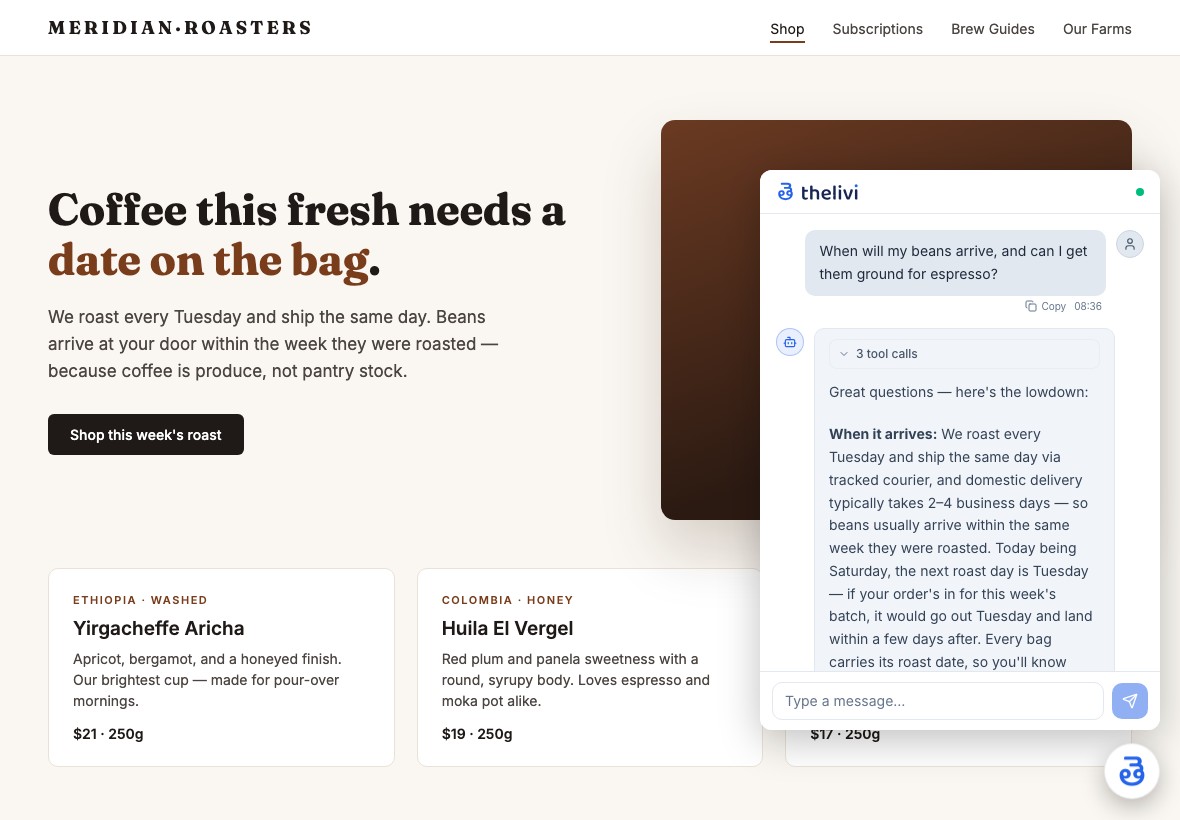
Give it a knowledge base and drop one line of HTML to add a chat bubble to your website — it answers your visitors from your content, in your voice, with citations.
From question to cited answer in seconds
Ask a question
Type what you want to know, in plain English.
It looks it up
Searches the web and your notes, reads the sources.
You get a cited answer
A clear answer with links to verify it.
“Stop opening twenty tabs. Ask once — get the answer, with sources.”
More than a chatbot
Real research with receipts — and an assistant that keeps working after you close the tab.
Answers, with receipts
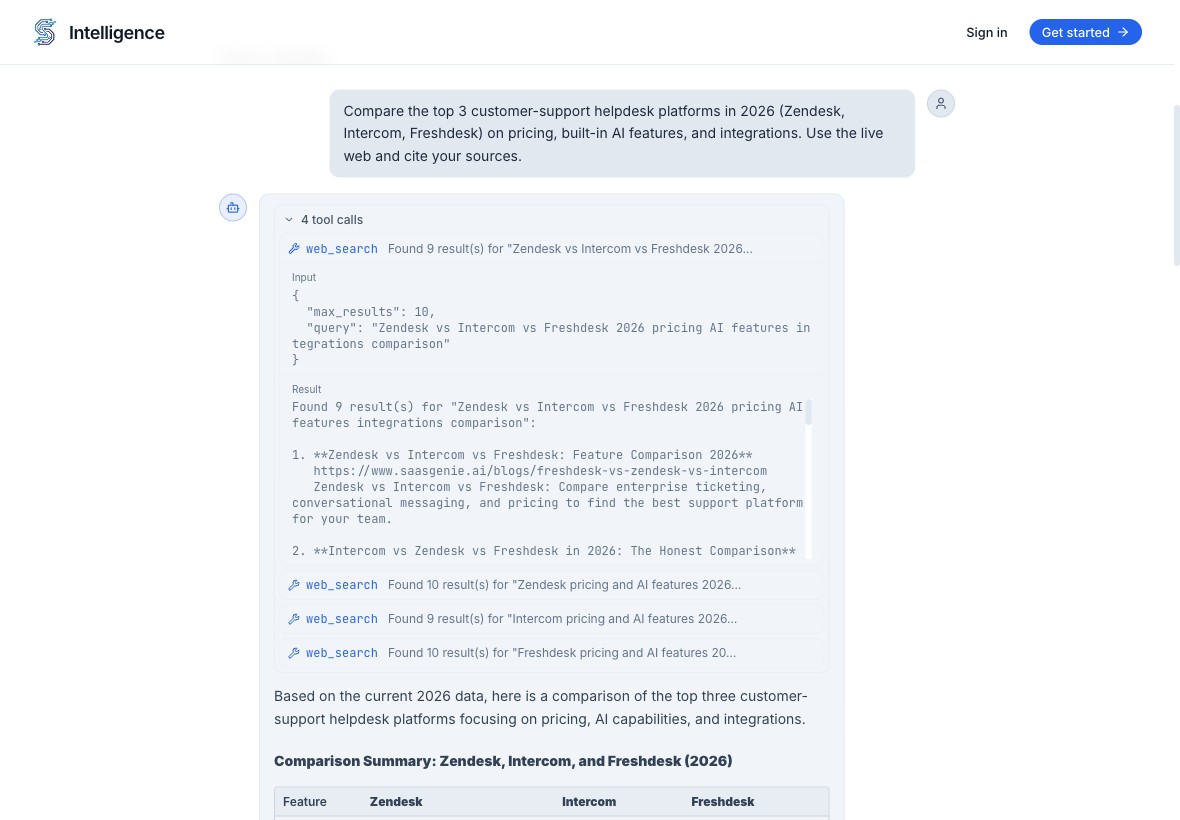
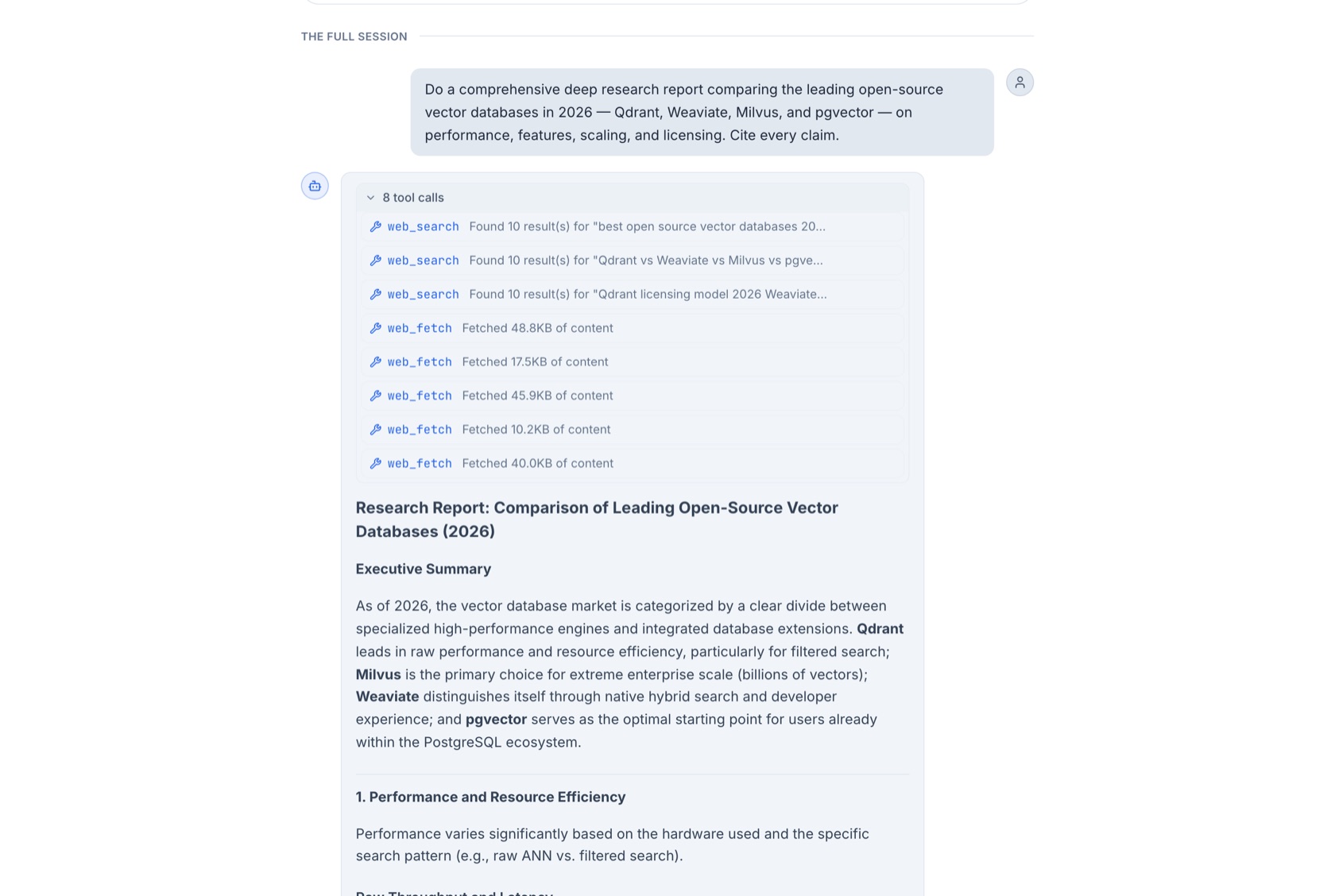
Ask anything. It searches the live web, reads the actual pages, and answers with citations you can click — and you can expand every search and source it used to get there.
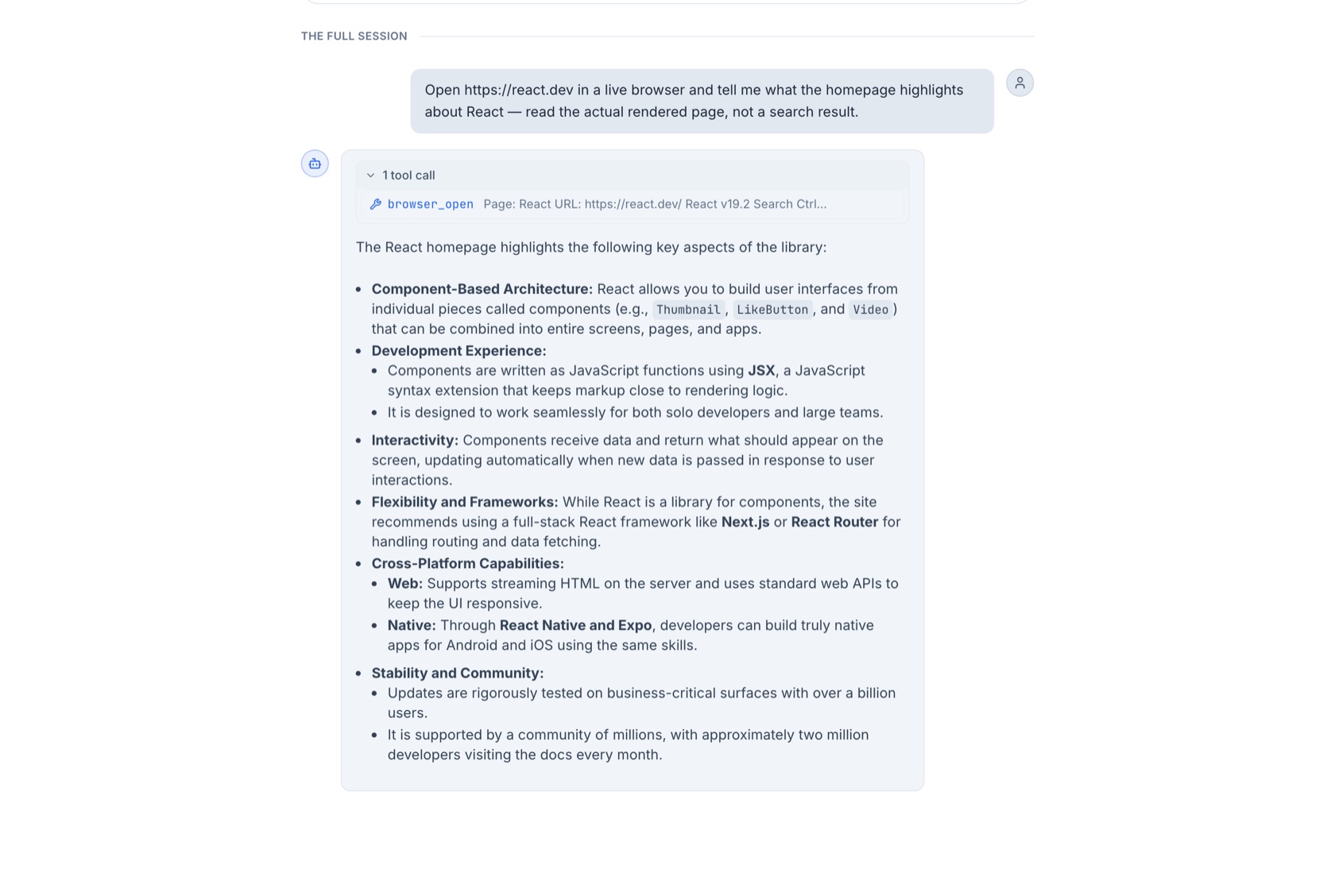
It opens the page — not just a search result
For sites that render with JavaScript, or hide behind a sign-in, it drives a real browser: opening pages, reading what actually loads, and handing you the live tab when a login or captcha needs you.
Go deep when one answer isn't enough
Ask it to dig in and it runs round after round of search, reads and cross-checks page after page, and comes back with a thorough, cited report — the receipts stacked right above the answer.
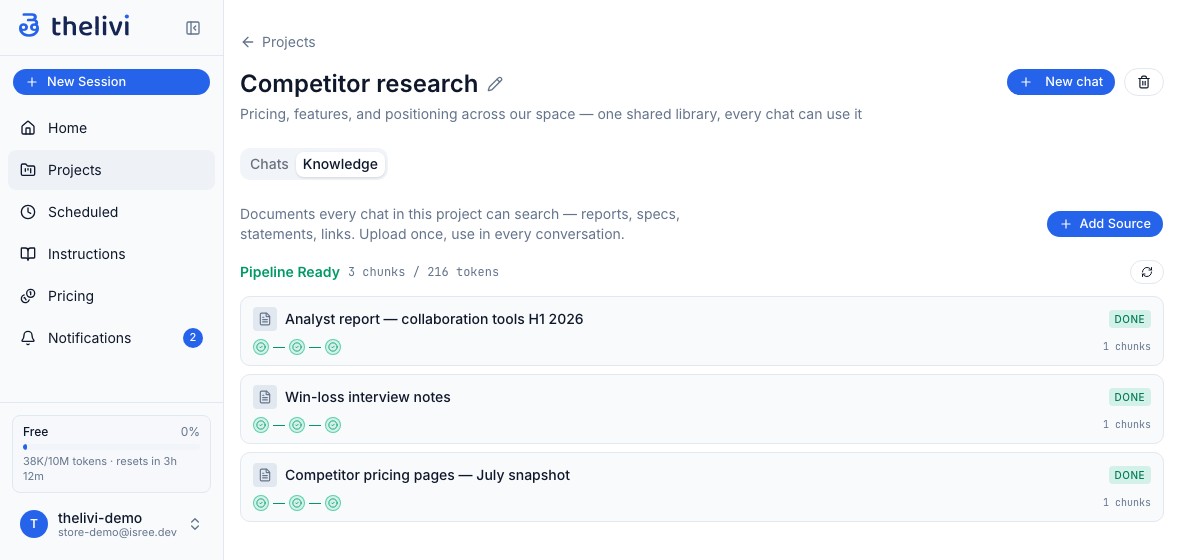
One workspace per thing you care about
Group your chats around a shared library of documents. Upload a report once to a project's knowledge, and every conversation in that project can search it — with citations. Move chats in and out anytime; the knowledge stays put.
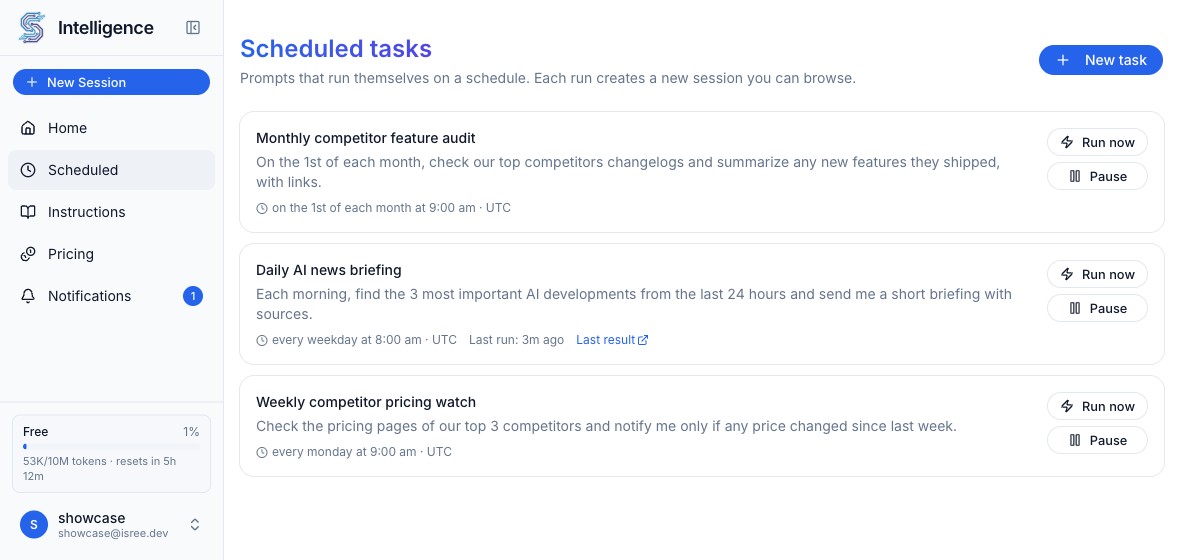
Put your research on a schedule
Set a prompt to run itself — daily, weekly, or monthly. Every run is a full agent session, with its sources and citations, that you can open and read.
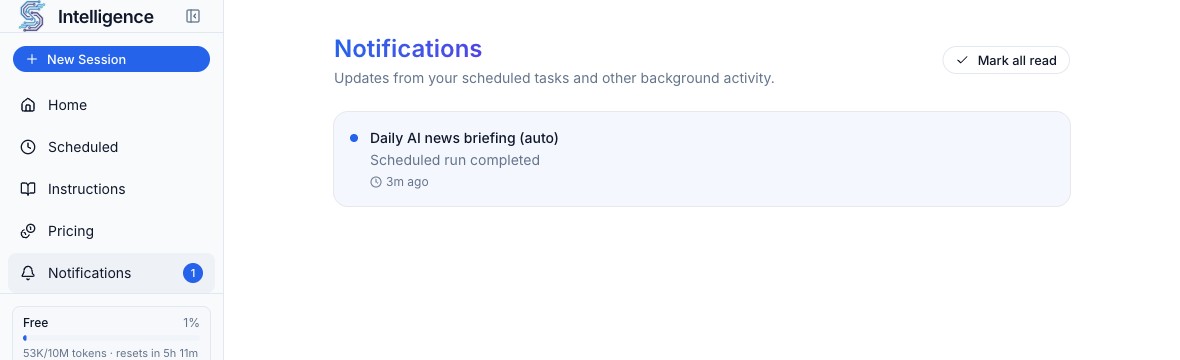
Pinged only when it matters
Tell it the condition in plain English — “only if a price changed.” It evaluates every run and stays quiet until that's actually true, then it lets you know.
Your site gets its own Thelivi
One script tag adds a chat bubble to any site you own. Give it a knowledge base and instructions, and it answers your visitors from your content — in isolated sessions that never touch your private chats. Switch on lead capture and it turns quote and demo requests into contacts, delivered to you by notification, email, or webhook. Your pages are re-crawled on a schedule so answers stay current, and any question it can't answer is escalated to you — right away or as a daily digest — so you can add the answer.
See it in action
Real sessions, not mockups — watch Thelivi research the live web, read a document, and answer with citations you can check for yourself.
The same assistant, in your pocket
Built natively for iPhone and Android — the full experience, not a wrapper. Cited answers, live charts, your projects and sources, and scheduled digests that keep working while the app is closed.
Free on the App Store today — Android is coming soon on Google Play.